Hi!
Alistair would like to play Minecraft with his friends. As this requires access to the morbid pit of despair and the dystopian nightmare that is the internet, this is slightly tricky to do in a safe and private manner. Therefore, we've made a private server for him and his friends.
Java should work out of the box. Bedrock has some parental control issues that you'll need to consider. As far as I'm aware, Bedrock has an "all or nothing" approach to online connectivity. In order to access this private server, the permission needs to be set to grant access to online services. This means that, in addition to this server, the child will see other servers that they can join. Personally, we wouldn't do this and fully understand if you feel the same.
tl;dr
Connect to minecraft.alistair.philjarvis.net
Available Monday 18:00 - 19:30, Tuesday 18:00 - 19:30, Friday 18:00 - 20:00, Saturday 18:00 - 20:00
Caveat Emptor
I can't help you set this up other than the instructions below. I can't help fix any problems. I am an idiot with a keyboard.
Specifics
Whitelist
The server will operate a whitelist of people allowed to access it. This means that only children / people immediately known to each other will be able to access it. No random people.
You will need to send me your child's username so I can add them to the whitelist. These instructions will help you find what their username is.
Safe Spaces
Each child will be assigned a 15³ safe space where only they can build things, store things, and not be attacked by other players. This will hopefully help prevent fights.
Your child will see a visual effect for each of the assigned areas, along with a name when entering. They will have unique colours so they can identify their own space.
Chat
Text chat is disabled because of UK OSA. You can likely enable it by submitting your child's private data to an unknown and Palantir-adjacent company for age verification in Microsoft's parental controls. We will not be doing that. There are ways to bypass this but I can't comment. The legal way to do this is to change the parental controls. The moral way to do this is down to the individual and your ability to download files.
I have turned off secure messages as the whitelist should be sufficient. This may bypass the restrictions but I can't test it.
Instructions for Java
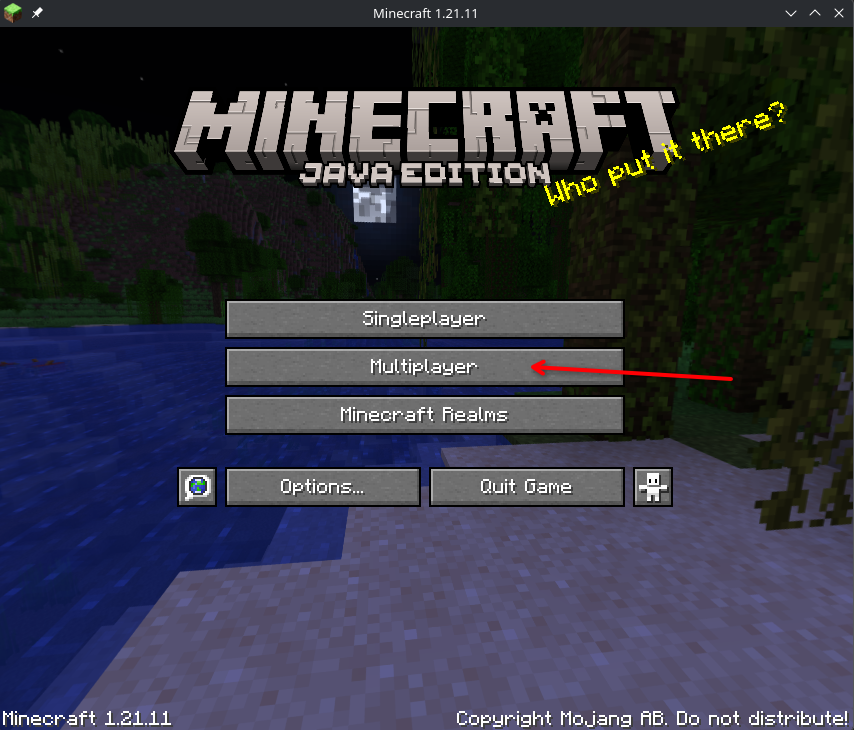
- Click Multiplayer
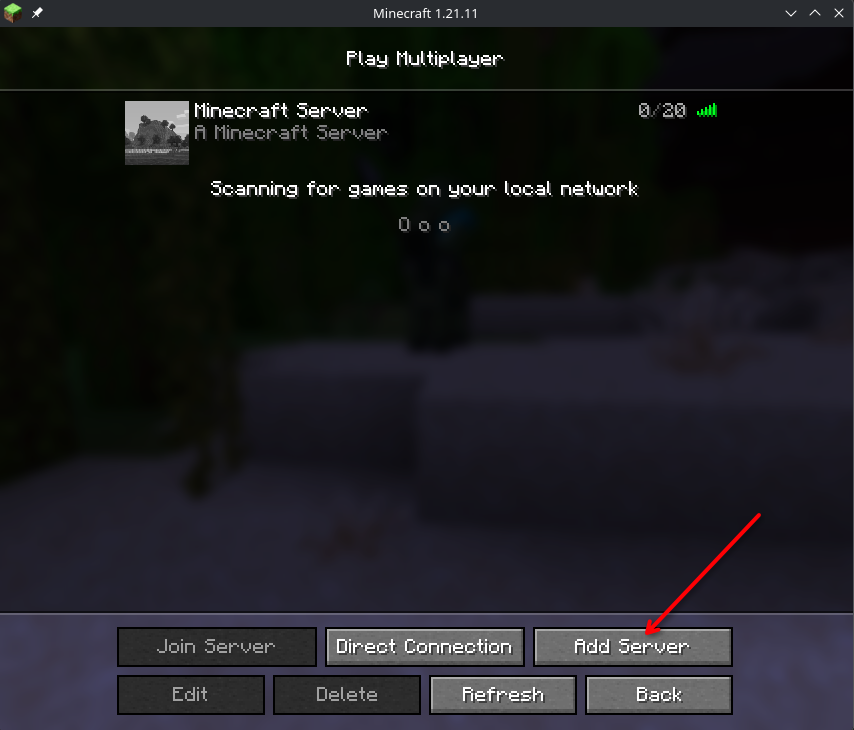
- Click Add Server
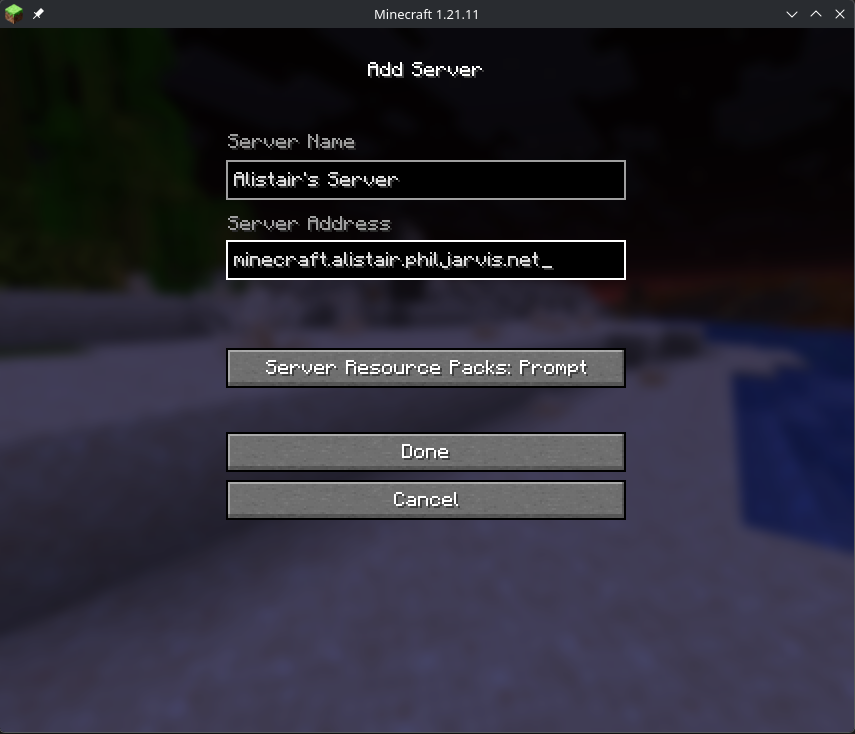
- Add the address minecraft.alistair.philjarvis.net
- Give it a recognisable name (not that important)
- If it asks for a port, this should be 25565
- Done! It will appear in the list and you can join it.
Instructions for Bedrock
NB: previous statement regarding parental controls. Also, I don't have bedrock so no screenshots. Sorry.
- Click Play
- Click Servers at the top
- Add Server
- Add the address minecraft.alistair.philjarvis.net
- Give it a recognisable name (not that important)
- If it asks for a port, it should be 19132.
- Add and Play
- Next time you play, it should be visible in the server list at the bottom (after they've tried to sell you all the other things)